




Blogs
Microsoft 365 Copilot Business: SMB offers and opportunities.
From July 1, Microsoft's new SMB Copilot pricing creates a bigger partner opportunity. Here's what's changed and how to turn it into more sales.
With VCSP licenses, the Premier or Affiliate partner is able to generate as many licenses as required, sometimes spiraling without proper monitoring. This could then lead to unwanted overages and subsequently more spending. Following is some of the best practices that can be followed to better manage your licenses.

a. Some partners have multiple contracts, due to various reasons. So, it is essential you know what your entitlements for each contract are.
b. It is important to make sure that you understand and document this.
c. Tip: refer to the ESD email for full information.

a. Licenses are generated from the Consumption Portal based on your requirement for each contract. This will be available in My Entitlements >> Consumption Portal.
b. The best practice is to generate one license key for each cluster or each vCenter, instead of generating a single license key for the entire entitlement of your contract. This way, the usage can be tracked more efficiently.
c. Create an excel sheet with the details and keep them updated whenever a license key is created or removed from usage. This is a customizable sample which you can use to start with.
d. Note: You cannot delete a license key in Consumption portal once generated, but it is not taken into account unless it is applied and used.

a. Overage is triggered when the usage for each contract is above the total number of cores committed.
b. Overage can be tracked manually by generating the HUR Report from Cloud Console.
c. The HUR report is originally in TSV format which is displayed in an Excel csv format.
d. The HUR report in its original format is not very useful, but with some formatting and formulas, it can be easily understood.

a. We have created a custom Excel automation script which instantly transforms the HUR report into an easy-to-read format with the calculations applied automatically.
b. You then need to key in the generated or committed value for each license key (which can be found in the tracking file you generated in step 2) to check if there is an overage and the cost.
c. Attached is a video and instructions on how to run the script.

1. First open the text file containing the script – HUR Report Automation v2.
2. Then open the HUR report (in tsv format) in Microsoft Excel.
3. The save the file as a .xlsx file to preserve the formatting.
4. Next, go to the Automate tab in Excel and select New Script.
5. This will then open the Script Editor on the right side of the page.
6. Now, select all and delete the existing content and replace it with the content from the HUR Report Automation v2.txt file (copy and paste the content).
7. Next, click on Save Script to keep this script stored for future use. You then don’t have to repeat the steps above to use the script again.
8. Then, click on the Run button to execute the script.
9. Once executed, the file should be formatted properly and a new table will be created from Column L to N.
10. In Column M (highlighted in yellow), enter the committed cores per contract to see the approximate overage cost.
11. When you have multiple license keys per contract, split the commit between them and ensure the total committed cores does not exceed your actual commit to get a more accurate overage value.
Disclaimer: This calculation is based on estimation from the HUR Report only. For actual overage, you will need to refer to the invoice and consumption report from Broadcom.
Blogs
From July 1, Microsoft's new SMB Copilot pricing creates a bigger partner opportunity. Here's what's changed and how to turn it into more sales.
Blogs
Does the investment in Security SPD attainment stack up against the potential for partners to make a strong commercial return? Michael Brooke explores the economics in the last in this three-part series.
Blogs
In the second article in our Security SPD series, Michael Brooke offers tips to help partners gain the insight track from start to finish.
Blogs
In the first of a 3-part series, Michael Brooke explains why the buying signals from the market make Security SPD attainment worth a close look for partners.
Press Release
Crayon’s Mathew Howard named in 2026 CRN Australia Channel Chiefs list for driving partner success, innovation, and growth in ANZ IT channels.
Blogs
Learn how Microsoft’s strategic Copilot for All framework combines with Crayon’s inhouse AI expertise to drive practice development and revenue growth for partners.
On Demand Webinars
Watch the on‑demand webinar on turning data risk into revenue. Learn how partners use data protection maturity models to drive recurring revenue and customer trust.
On Demand Webinars
Join our team for a business and technical deep dive into the Microsoft Security SPD and why attaining it is great for business.
Business
AvePoint Partner onboarding content packs are now available from Crayon to help fast track confidence and success for your team.
On Demand Webinars
Our latest On-Demand webinar provides a practical, execution focused walk through the full Copilot partner journey, from early adoption to advanced scenarios.
Blogs
Fragmented data protection systems and processes create compliance proof-gaps for SMB customers. Scott Hagenus, Director, Cybersecurity here at Crayon explains.
Insights
Data Protection priorities are shifting for SMBs. Ramp up your ability to respond with curated insights, articles and resources to help you guide every customer conversation with confidence.
Insights
All the latest insights, articles and resources on M365 Copilot, curated into one place.
Guides and eBooks
The Microsoft Fabric Partner Guide curates our recent articles, videos and resources to accelerate Crayon partner learning.
Sales and Marketing
Practical tips for crafting and activating a compelling Copilot GTM proposition.
Blogs
From retail to corporate tech, Ksenia Turner built a career on learning, adapting, and helping others do the same. Now, as Business Success Manager at Crayon, she helps partners understand and use AI and Microsoft solutions in real, practical ways.
Training
M365 Copilot implementations for customers should be viewed through a risk tolerance lens. Explore risk tolerance profiles and what they mean.
Webinars Series
Designed by our M365 Copilot SureStep experts, the workshop will help you to start selling and deploying Copilot and AI projects for your customers.
Blogs
Crayon cloud security assessments help partners lock down M365 and Azure environments and build profitable cybersecurity practices. Learn how.

Connect Data Protection to strategic objectives via this Whitepaper

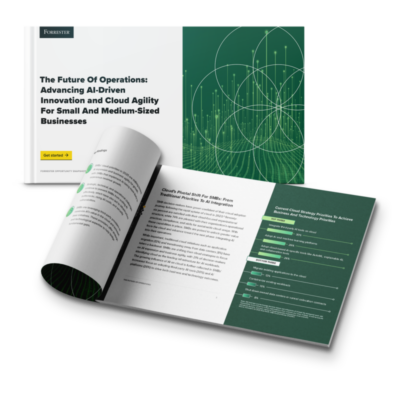
What are the most critical business objectives and solution adoption priorities for SMBs in our region? Download the latest Forrester study to find out!

Our APAC channel business is now part of a global organisation. That means there is a whole new world of value on offer for our partners. We can help you to tap into all of it.